Basic Git & GitHub for DevOps
Hello, I am sumit and currently pursing my final year of graduation with IT stream from JSPM BSIOTR Wagholi Pune. I am currently learning DevOps with TrainWIthShubham. I have prior knowledge of Java, JSP, Servlet, SQL and Data structure also.I am a hard worker, smart and quick learner.
Git Introduction:
Git stands for global information tracker. It is a version control system. Git is just a tool that allows us to version control for file images audio videos etc.
Suppose, we made one file in the file system and after some time we override something in that file then we can't get our firstly created file
But if we add this file in git i.e. version control system then when we add the firstly created file this is treated as version 1 on git and when we override that file on the file system and again add it to VCS then this treated as version 2 on VCS/Git
Due to VCS we can get our main file and override files whose names should be version1 and version2.
GitHub Introduction:
GitHub is a web-based platform that provides hosting for version control using Git. It is a subsidiary of Microsoft, and it offers all of the distributed version control and source code management (SCM) functionality of Git as well as adding its own features. GitHub is a very popular platform for developers to share and collaborate on projects, and it is also used for hosting open-source projects.
Type of VCS (version control system):
/Two types of VCS:
CVCS (Centralized version control system)
DVCS (Decentralized version control system)
CVCS:
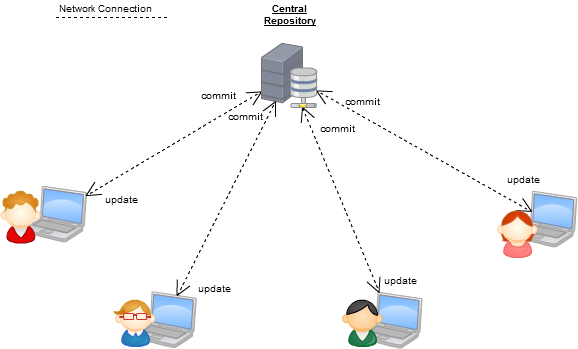
CVCS stands for centralized version control system
As a name centralized there is one system that can manage the versioning only.
Others are not able to make a version.
Mostly this type of VCS used for private purposes or highly secured project
Example: SVN (Subversion)
DVCS:
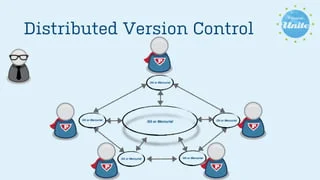
DVCS stands for decentralized version control system
As a name decentralized many systems can make versions of files
Others can make a version
Mostly this type of VCS used in industry.
Example: GitHub
Commands on Linux for Git:
git init: - use to initialize the git repository
git status: - use to see the status of files
git add: - use to add files from the file system to stagging
git commit: - use to add files from stagging to tracked
git restore file-name: - if the file is deleted from the file system but we have added it on tracked or VCS then we can restore it by using this command
git rm --cached file-name: - used to remove the file from stagging are to file system
git log: - use to see the commit history
git log --oneline: - used to see the commit history but in one line
git config --global user.email "email@gamil.com": - configure your global git user name to be associated with the email address.
git clone: - used to copy the remote repository to the local system


