File permission
Hello, I am sumit and currently pursing my final year of graduation with IT stream from JSPM BSIOTR Wagholi Pune. I am currently learning DevOps with TrainWIthShubham. I have prior knowledge of Java, JSP, Servlet, SQL and Data structure also.I am a hard worker, smart and quick learner.
File Permissions:
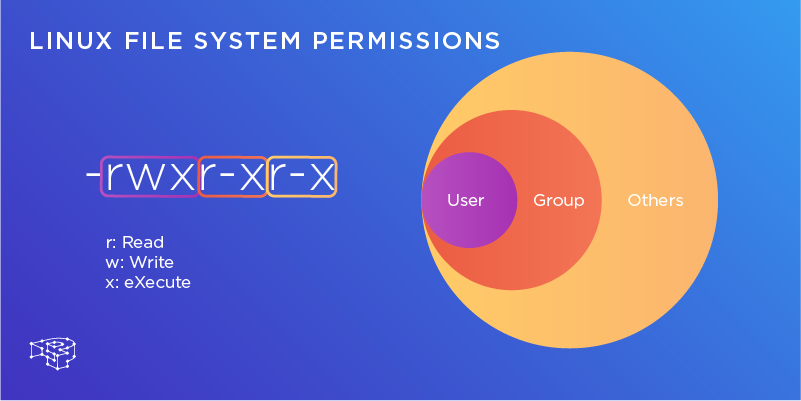
In Unix-like systems, every file and directory has a set of permissions. These permissions are divided into three categories:
User (u): The owner of the file.
Group (g): The group associated with the file.
Others (o): Everyone else.
For each category, there are three types of permissions:
Read (r): Permission to read the file.
Write (w): Permission to modify the file.
Execute (x): Permission to execute the file (or traverse the directory).
For example, the permission set rw-r--r-- means:
The owner (user) can read and write but not execute (
rw-).The group can only read (
r--).Others can also only read (
r--).
You can view the permissions of a file using the ls -l command and modify them using the chmod command.
Commands
ls -l
\=> List all the files with their permission
\=> In info it shows the file name, time, date, owner, group, and permissions
chmod [permission no] file-name
\=> chmod 777 sumit.txt
\=> use for change the permission
. ls -l file-name
\=> ls -l sumit.txt
\=> use to display only sumit.txt files permission


